Discover how advanced control systems improve product consistency, reduce waste, and optimize your extrusion process. Explore our solutions or connect with our team to learn how ICT can modernize your production line.
Get Started TodayWhen plants evaluate a control system upgrade, most of the attention goes to the drives — sizing, efficiency, reliability specifications. The human-machine interface, the screen operators actually look at and interact with all shift long, often gets treated as a secondary detail, styled after the fact rather than designed deliberately. This is a mistake with real operational consequences, because the HMI is where process knowledge actually gets translated into action on the plant floor. A technically excellent drive system, paired with a confusing or poorly organized HMI, still produces a line that's harder to run than it should be.
It's worth being precise about the HMI's actual function, because that function is easy to underestimate when it's viewed simply as a screen that displays numbers.
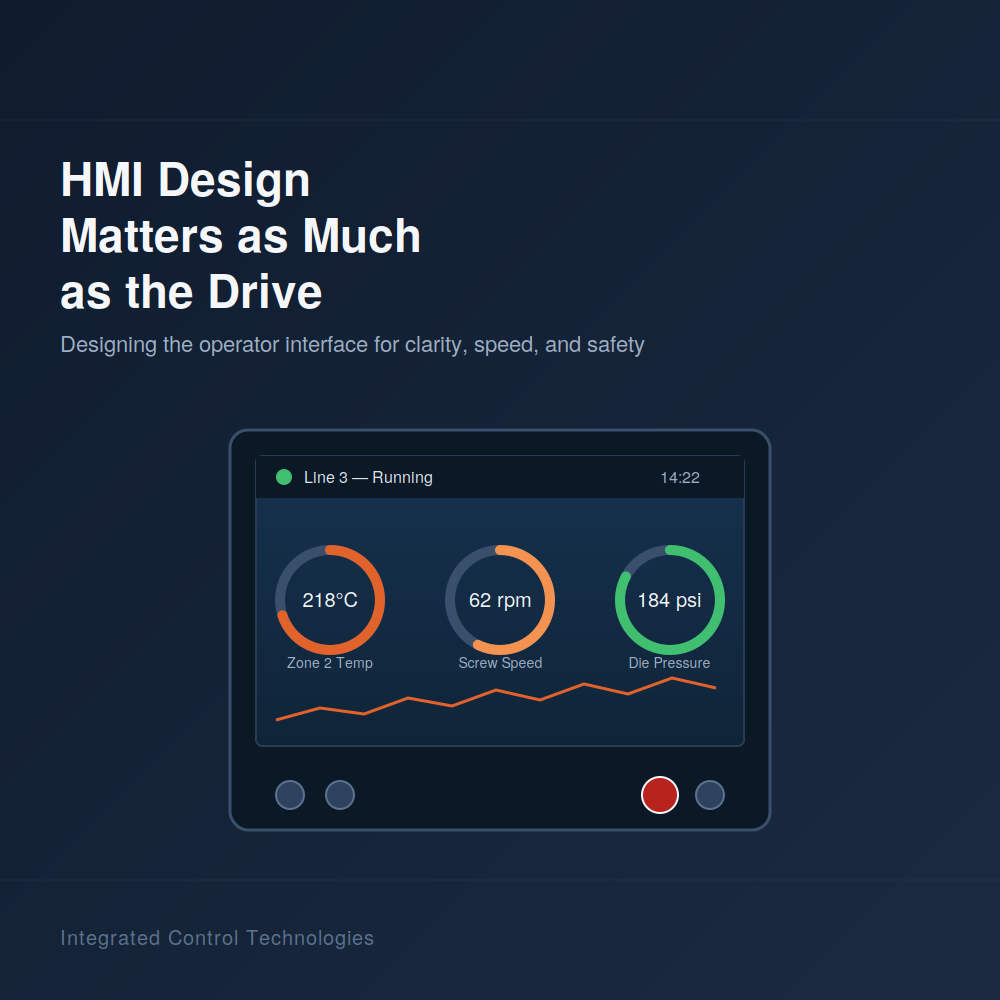
The HMI is the layer where raw process data — temperatures, pressures, speeds — becomes something an operator can interpret and act on. A well-designed HMI makes that translation fast and intuitive; a poorly designed one forces operators to work harder to understand what the numbers actually mean for the process.
When something goes wrong on the line, the HMI is almost always the first place an operator looks to understand what's happening. How clearly that information is presented directly affects how quickly a problem gets identified and addressed.
Modern HMI systems typically log alarms, parameter changes, and process trends, creating a record that matters both for troubleshooting a specific incident and for understanding patterns in line performance over time.
The costs of a poorly designed HMI aren't abstract — they show up in specific, measurable ways on the plant floor.
An HMI that buries important information in a menu, or presents it in a way that's hard to quickly interpret, means operators take longer to notice a developing problem — the same underlying data, presented poorly, delivers less actual value than well-organized data would.
Screens that are cluttered, inconsistent, or unclear about what a given control actually does increase the chance an operator makes an incorrect adjustment, particularly during a high-pressure moment like a fault condition or a fast changeover.
An intuitive, well-organized HMI is meaningfully faster to learn than one that requires memorizing where information is buried or which of several similarly labeled buttons does what. This matters directly for onboarding time and for how quickly a new operator becomes fully productive.
A control system can have excellent underlying diagnostic and data capability, but if that information isn't presented clearly on the HMI, operators often simply don't use it — meaning the plant paid for capability that isn't actually delivering value in daily operation.
Good HMI design for an extrusion line follows a few consistent principles, regardless of the specific process or platform.
Not every process variable deserves equal visual weight. The most operationally critical information — current status, active alarms, key process values — should be immediately visible on the main screen, with less time-critical information organized into logically structured secondary screens rather than competing for attention on the primary view.
Colors, icons, and layout conventions should mean the same thing consistently across every screen — if red indicates a critical alarm state on one screen, it shouldn't be used decoratively elsewhere. Consistency reduces the cognitive load required to interpret the interface correctly under pressure.
An effective HMI is organized around how operators actually use the line — startup sequence, normal running view, changeover process, troubleshooting — rather than simply presenting every available data point in a generic layout. Screens should map to real operational tasks.
Operators should be able to reliably predict where to find specific information without hunting through unfamiliar menu structures, particularly during a fault condition when speed matters most. A consistent navigation structure across screens supports this.
A single current reading tells an operator where a process variable is right now, but a trend view showing how that value has changed over recent minutes or hours often reveals whether a developing issue is present — information a single static number can't convey.
The people who will use the HMI every day are also the best source of insight into what actually makes an interface effective, and involving them in the design process produces measurably better results than designing purely from an engineering specification.
Before finalizing HMI screen designs, gathering input from operators who currently run the line — what information they check most often, what's currently hard to find, what's caused confusion in the past — surfaces practical considerations that wouldn't necessarily occur to an engineer designing the interface from a specification alone.
Where possible, testing a draft HMI design with actual operators before finalizing it — even informally — often reveals usability issues that are much cheaper to fix during design than after the system is commissioned and operators have already adapted to a suboptimal layout.
Operator feedback after the system has been running for a few weeks, once the initial unfamiliarity has worn off, often surfaces real usability issues that weren't apparent during initial training or the honeymoon period immediately following commissioning.
When evaluating control system vendors or proposals, HMI design deserves the same level of scrutiny as drive specifications and PLC programming quality, since it directly affects how much value the plant actually realizes from the underlying control capability.
Rather than relying on a general description of "modern HMI capability," ask vendors to show actual screen designs from comparable past projects, which gives a much clearer sense of their design approach and quality than a verbal description.
A vendor with excellent drive and PLC engineering but a generic, poorly considered HMI approach delivers less real-world value than the underlying hardware specifications might suggest — HMI design quality should factor meaningfully into vendor selection, not be treated as an afterthought.
It has real operational impact — a well-designed HMI speeds up problem diagnosis, reduces operator error, and shortens training time, while a poorly designed one can leave valuable diagnostic capability underused even when the underlying control system supports it.
Yes. Operators who run the line daily have practical insight into what information matters most and what's historically caused confusion, and involving them typically produces a more effective interface than designing purely from an engineering specification.
Presenting all available data with equal visual weight, rather than prioritizing the most operationally critical information, is one of the most common issues — it makes screens harder to interpret quickly, particularly during fault conditions when speed matters most.
In many cases, yes — HMI screen design is largely a software and configuration exercise, meaning existing hardware can often support a significantly improved interface without a full control system replacement, depending on the platform's capabilities.